
Agent builder and routing

Set it up in plain language.

Name the agent, set its role and tone, write the opening pitch and publish. Then send each visitor to the agent that fits.

No prompt writingVersioned publishingRouting by source
Builder

Everything about the agent, in one place.

Identity

Name, role, tone of voice and the page the demo starts on.

Opening pitch

What the agent says first. Written in your words.

Publish with versions

Changes go live when you publish. Earlier versions are kept.

Audience links

Personalised links for a segment or account, with optional expiry and email-domain limits.

A/B testing

Compare two demo flows on the Growth and Scale plans.

Teammates

Invite your team into the workspace with roles.

Routing

The right agent for each visitor.

Different campaigns deserve different openings. Route by source and every rule gets its own shareable link.

  • Rules by campaign, UTM or source
  • First matching rule wins
  • One link per rule, ready to put in an email or ad
Real screens

This is the actual builder.

Not a mock-up. A crop of the product with sample data.
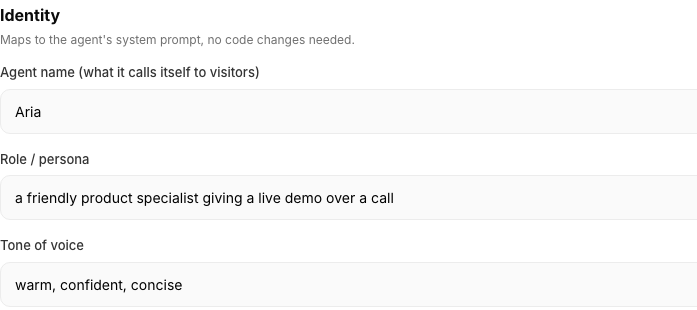
Agent identity form with name, role, tone of voice and demo start URL
FAQ

Questions about building.

Do I need to write prompts?
No. You set the agent's name, role, tone and opening pitch in plain language. It compiles into the agent's instructions when you publish.
Can I roll back a change?
Agent versions are kept, so you can see what was published and when.
What is an audience link?
A shareable link for a specific group, for example a target account. Links can expire and can be limited to an email domain.
Can I test two demo flows?
Yes. A/B testing across demo flows is included on the Growth and Scale plans.
How does routing work?
You set rules by source, such as a campaign or UTM. Each rule has its own link. The first matching rule wins.

Build your first agent today.

Talk to Aria now, or tell us about your product and we'll show you how it would run.